

Picture this: Your production build fails. Certificate expired. You submit renewal docs to SSL.com for the sixth time. Wait three days. Schedule a mandatory phone verification. Wait more. Meanwhile, deployments are blocked, engineers are frustrated, and everyone's asking why a 2026 CI/CD pipeline depends on a 2002 verification process.
We recently migrated QliqSoft's application signing workflow to Azure Artifact Signing (formerly Trusted Signing). The contrast was immediate and staggering. The entire migration and testing took less than a day - what used to be a "Verification Week" became a "Verification Hour."
Why SSL.com Renewals Were a Pain Point
Before we walk through the new setup, it's worth naming the specific frustrations that pushed us to make the move. Anyone who has managed EV certificate renewals at a software company will recognize these:
- Redundant Verification: Every renewal cycle felt like starting from scratch. Business entity documentation submitted previously didn't carry over - you were re-proving your existence from zero.
- Manual Bottlenecks: Waiting days for a human reviewer to inspect your Articles of Incorporation. No status updates. No automation. Just waiting.
- The Phone Call Requirement: A mandatory voice call to a verified business line - a process that makes sense if it's 2002, but in a world of distributed teams and VoIP, it's a scheduling nightmare.
- CI/CD Incompatibility: Manual certificate renewal doesn't play nicely with automated pipelines. Every renewal was a forced interruption.
Legacy code signing verification was designed for a world where software shipped on CDs. It doesn't belong in a modern deployment pipeline.
The Modern Setup: Azure Artifact Signing
Azure Artifact Signing replaces manual bureaucracy with Identity-as-a-Service. Once you create a Trusted Signing Account in the Azure Portal, identity verification is handled in two automated stages - and the difference from the old way is night and day.
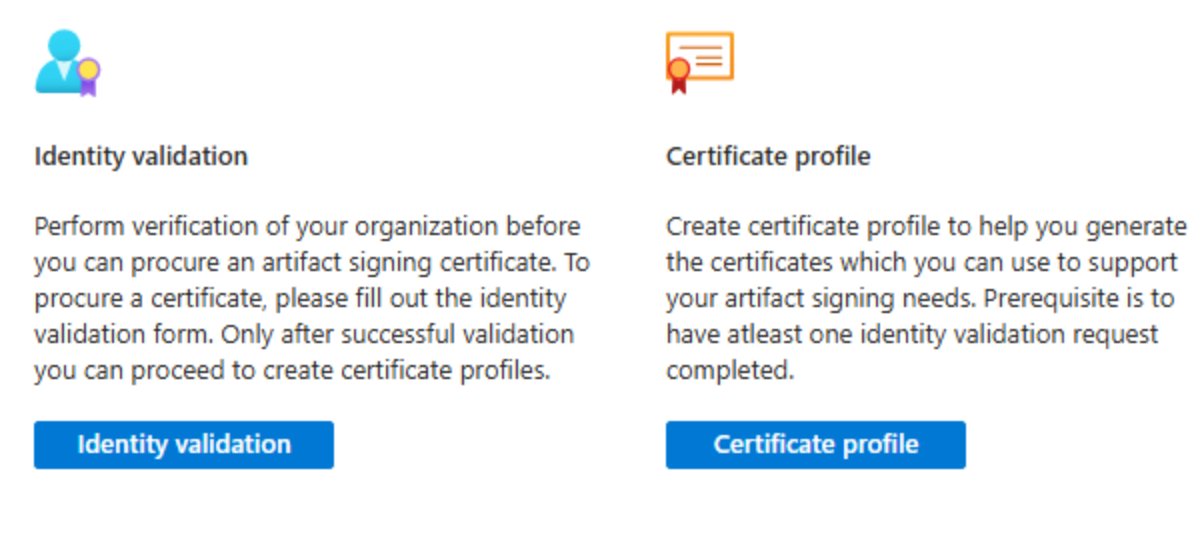
Organization Identity Validation
Provide your legal business name and website URL. Microsoft cross-references global business databases in real time. Instead of a multi-day manual phone call, verification is typically handled via a quick email link sent to a verified business contact. Time to complete: a few hours, not several days.
Individual Verified ID
This is the "human anchor" for the certificate. You receive an email linking to Microsoft Entra Verified ID. Using the Microsoft Authenticator app, you scan a government ID (Passport or Driver's License) and complete a quick biometric selfie check. Once your personal ID is verified, it instantly validates your role within the organization request. The whole process takes minutes.
The Identity Validation Form
The identity validation form in the Azure Portal is straightforward and - critically - designed to pull from data Microsoft already has about your organization if you're in the Microsoft Partner Center or your Azure Tenant. Here's what it looks like:
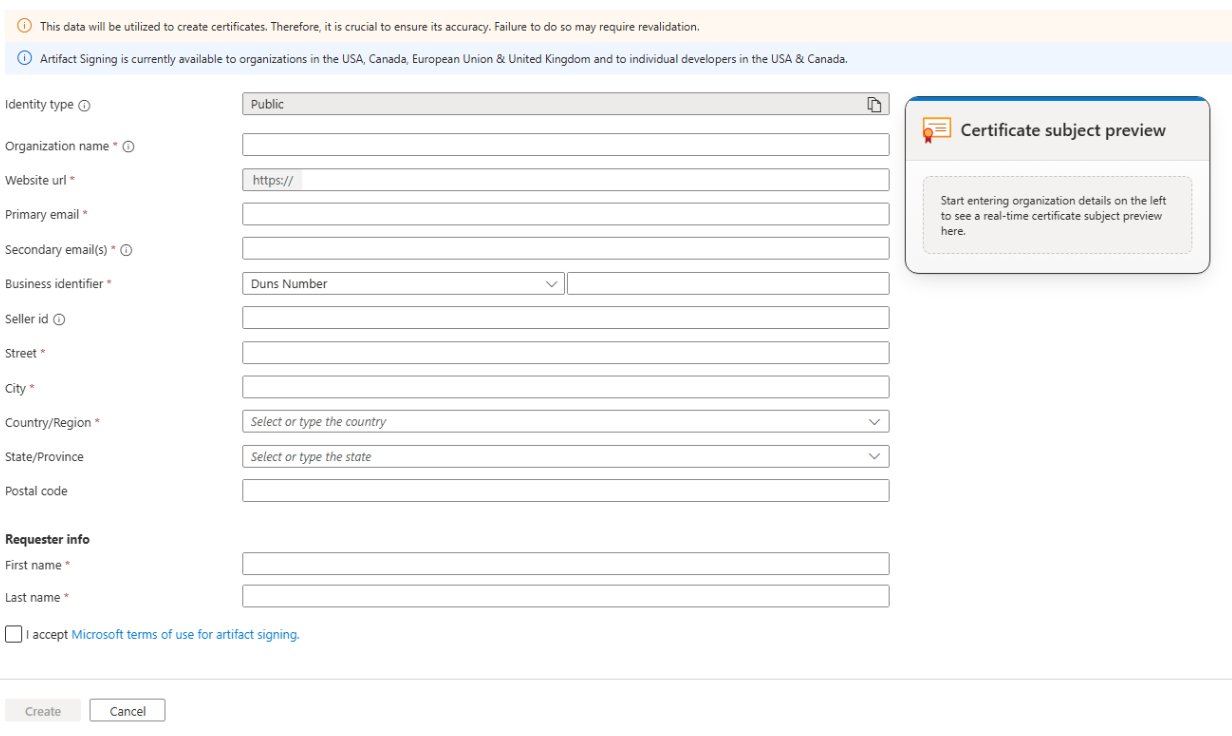
A few notes on this form from our experience:
- The Business Identifier defaults to DUNS Number - make sure this matches your D&B registration exactly.
- The Certificate Subject Preview on the right updates in real time as you fill in fields - a nice sanity check before you submit.
- If your organization info is already current in Microsoft Partner Center, the validation often completes in under an hour after submission.
- The "I accept Microsoft terms of use for artifact signing" checkbox is easy to miss - don't submit without it.
Integration with Advanced Installer
The final piece was wiring up the actual signing step. We use Advanced Installer for our Windows packaging, and it offers native support for Artifact Signing. This is what makes the "under one day" migration actually achievable - there's no custom scripting required.
- Digital Signature Tab: Switch your sign tool from "SSL.com" (or whatever legacy provider) to Trusted Signing.
- Metadata: Enter your Azure Endpoint (e.g.,
https://eus.codesigning.azure.net), your Account Name, and your Certificate Profile name. - No Secrets Required: Advanced Installer leverages your existing Azure CLI login context. No certificates to install locally, no PFX passwords to store in project files or environment variables.
# Example: Azure DevOps pipeline step for Artifact Signing
- task: AzureCLI@2
  displayName: 'Sign Package with Trusted Signing'
  inputs:
    azureSubscription: 'Your-Azure-Subscription'
    scriptType: 'bash'
    scriptLocation: 'inlineScript'
    inlineScript: |
      az trustedsigning sign \
        --endpoint "https://eus.codesigning.azure.net" \
        --account "Your-Account-Name" \
        --certificate-profile "Your-Certificate-Profile" \
--files "path/to/your/*.exe"If your business info is already current in Microsoft Partner Center or your Azure Tenant, Organization validation can be nearly instantaneous. You can literally go from "starting the setup" to "first signed build" during a long lunch break.
The Verdict: A One-Day Migration
By the afternoon of our migration day, we had gone from a "Certificate Expired" warning in production to a fully automated CI/CD pipeline producing properly signed binaries - with no manual steps, no phone calls, and no waiting.
The shift to Azure Artifact Signing isn't just about security. It's about developer velocity. Stop scheduling callbacks with certificate authorities and start signing in minutes. The old way was a tax on engineering time - and it's a tax we're not paying anymore.


